A topic is the subject a conversation is about, like parenting or city politics. Topics group related conversations together, so it's easy to find the discussions you care about and skip the ones you don't.
Where to find it: Click Topics in the left sidebar. On a phone, tap Search and find Topics under Browse. You can also tap any topic name shown on a post.
Trust is per topic
Here is the part that makes UpTrust different. Trust is tied to a topic, not to a person as a whole. You can trust someone a lot on cooking and very little on economics, and the site keeps those two ratings separate. So a great cook does not get a louder voice on money questions just because you like their recipes.
Because of this, every topic page shows the voices you trust most on that subject. The same person can sit near the top of one topic and not appear on another.
Browsing topics
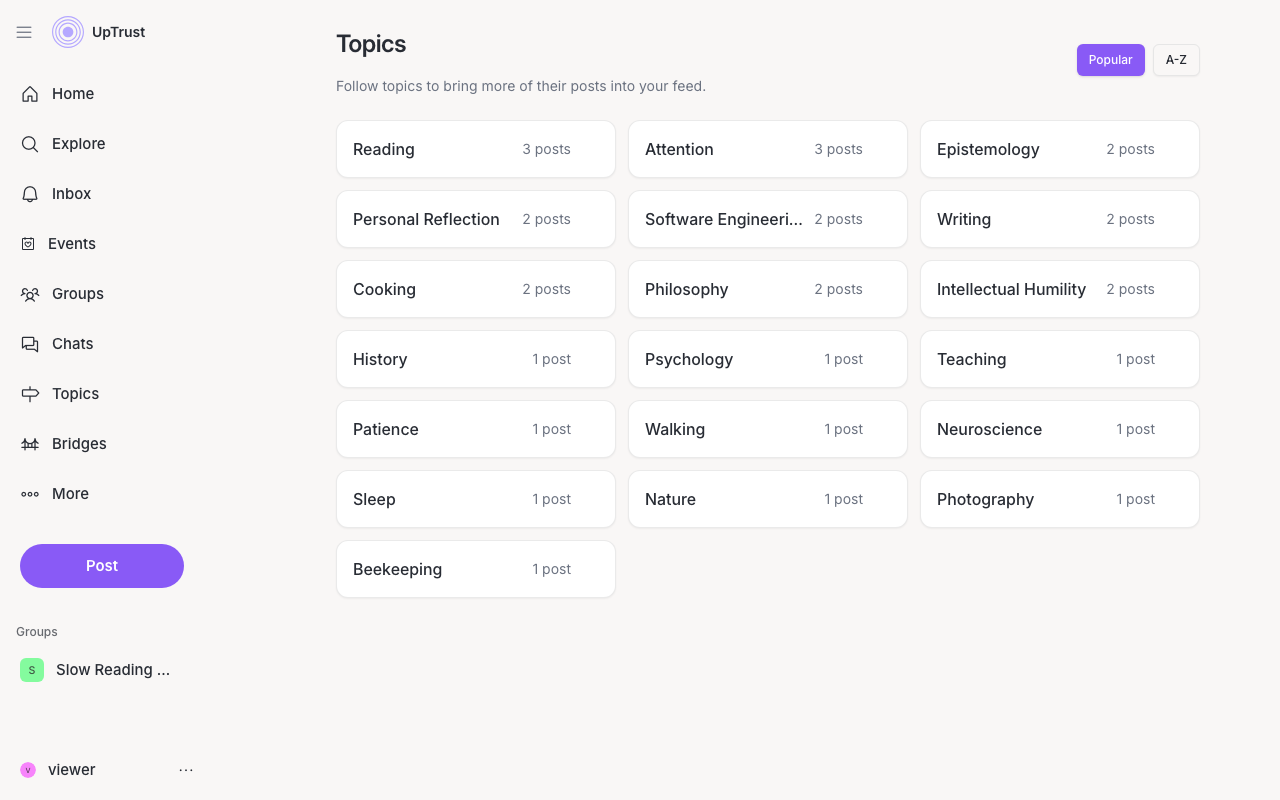
The Topics page lists every topic with conversations on it. You can sort by Popular or A-Z. Each topic shows how many posts it has. Open one and you'll see its conversations, a list of trusted voices, and related topics to explore next.
On a topic page, tap Filter by topics to add a second or third topic. That narrows the list to posts tagged with all of them at once.
Following topics
Following a topic brings more of its posts into your feed. To follow one, tap the bell on its card on the Topics page, or use the Follow button on the topic page itself. Everything you follow shows up in the Following section at the top of the Topics page, where you can unfollow any time by tapping the bell again.
Topics on Home and Search
Above your home feed is a row of topic tiles. Click one to show only that topic in your feed. A small tag with the topic name appears next to the feed tabs. Click the x on it, or click the tile again, to see everything. All topics at the end of the row opens the Topics page.
Tip