The People page gathers everyone you have a trust link with, sorted by how much you trust them. It is a quick way to see who is in your circle and reach out to them.
Where to find it: In the left sidebar, click More, then Friends. On a phone, tap Search and find Friends under Browse. The page itself is called People. On a wide screen, the Your people link on your home page's Trusted this week card goes there too.
How the page works
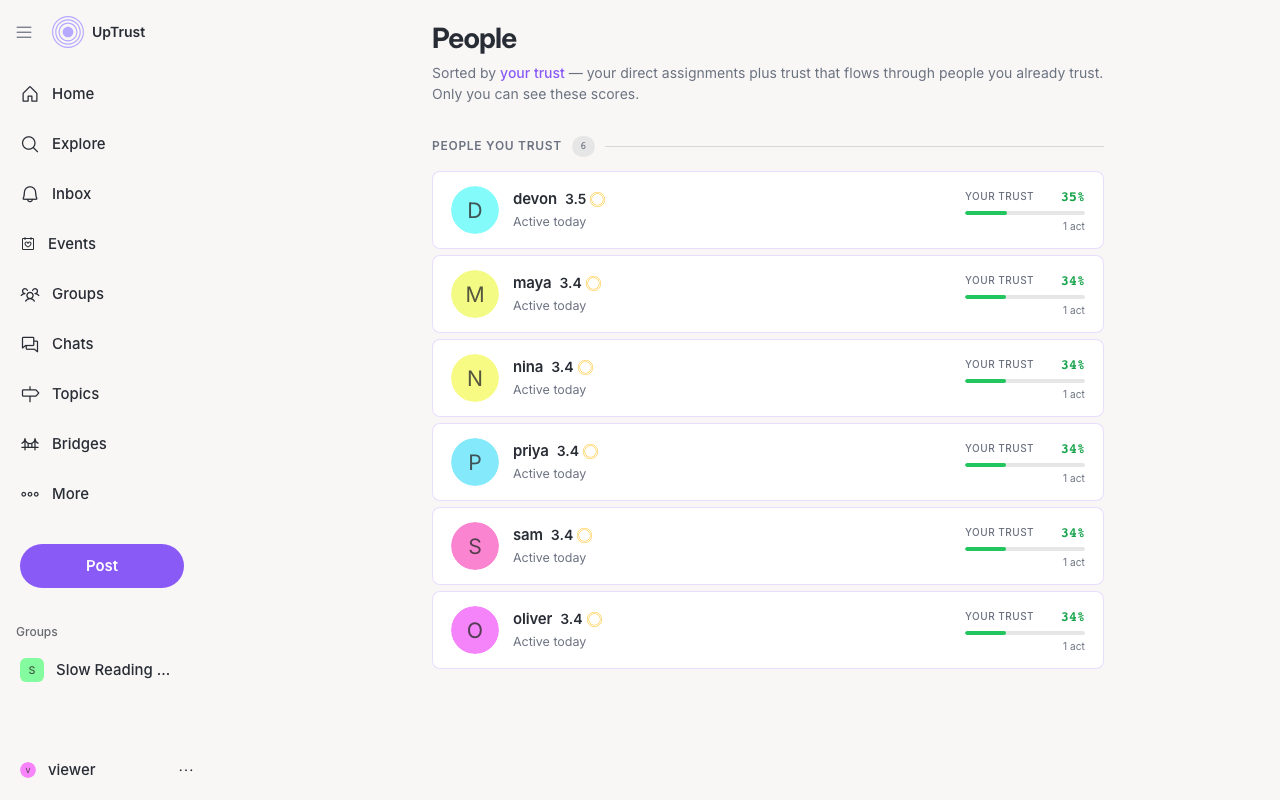
People are sorted by your trust, with the people you trust most near the top. Each person shows a Your trust meter, a small bar that fills up the more you trust them, plus when they were last active (labels like Active today). If they are not a bot, you will see a Message button under their card.
Once you trust about ten people, a Find a person search box appears at the top. It filters the list as you type, and the URL updates so you can share the filtered view.
Use the filters at the top to narrow the list:
- All shows everyone.
- Trusted shows the real people you trust.
- Bots shows automated accounts. Read about bots if you are curious.
These scores are yours alone
See nobody yet? Once you start trusting people, by voting, uptrusting them, or inviting them, they will show up here.