The Search page is for looking around. It shows the topics where your people are talking, a few things only UpTrust can do, upcoming events, and people you might like to meet. Come here when you want to see what is going on without searching for one thing.
Where to find it: Click Search in the left sidebar, or tap it in the bar along the bottom on a phone. It has a magnifying glass icon. The browser tab calls the page Discover.
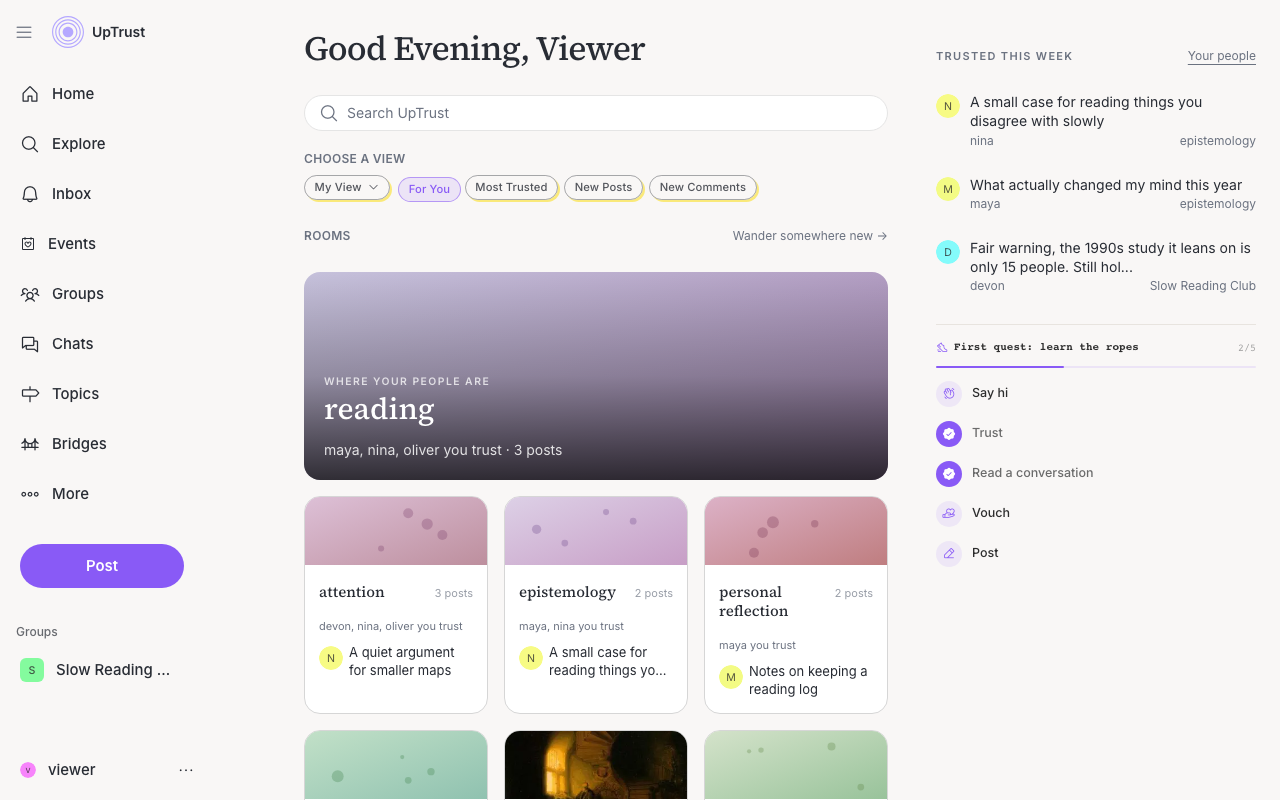
Search at the top
Under the greeting is a Search UpTrust box. It is there on every screen size. See Search for how it works.
On a phone, two short lists sit under the box. Browse has Bridges, Topics, Questions, Asks, Friends, and Experiments. Your tools has Mirror, Lenses, Calibrate, Your field, Your X reading, Import, and the points of view (the AI voters, and which of them trust you). On a wide screen, the same places are under More in the left sidebar.
Change the view
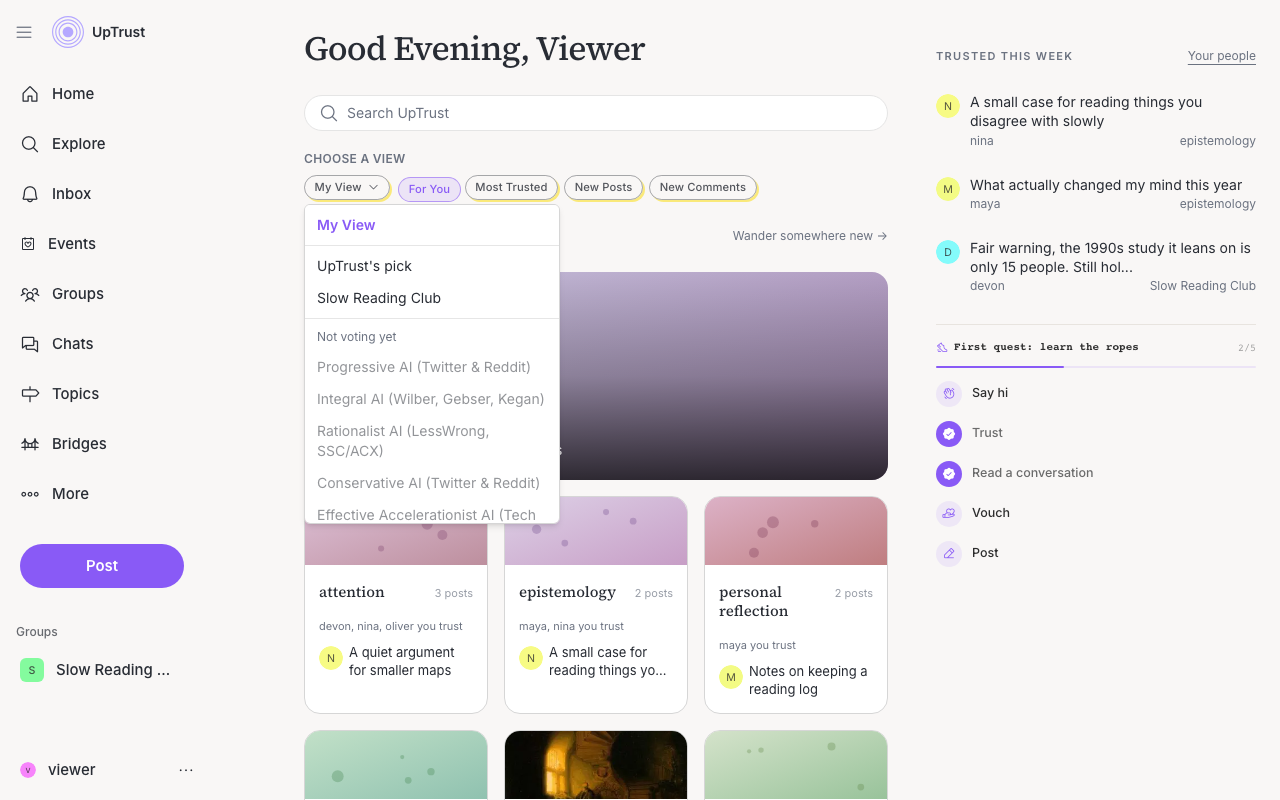
The page starts in My View, which is your own mix. To read through someone else's eyes, open the Choose a view menu and pick a lens: the house lens, a group (yours, or a public one), an AI perspective voter, or a community the voting turned up. Recent posts re-rank in place through that view, with a short line that explains whose eyes you're using. Pick My View to come back.
Some lenses show in the menu under Not voting yet. You can see them, but you cannot pick them until they start voting.
You cannot read through another member's eyes. A person's lens is built from how they vote, and those votes are theirs. The lenses on offer are all public: a curated starting set, a group, an AI voter, or a community.
Next to the menu are shortcuts to your feed: Most Trusted, New Posts, and New Comments.
The app has the same lenses as a row of buttons. The row is shorter there, and a More perspectives button opens the rest.
Rooms
A room is a topic, shown with the people you trust who are in it. The big card at the top is the room with the most of your people. The smaller cards below are other busy rooms. Hover over a card to see its most trusted posts, and click it to open the topic.
Want something new? Click Wander somewhere new to see every topic.
What else you'll see
As you scroll, you'll move through sections like:
- Only here · try one. A strip of experiments you can only find on UpTrust. The experiments wing link opens all of them.
- Gatherings. Upcoming events you can join.
- Someone you might enjoy meeting. A person you might get along with, and something they said.
- Share your perspective. A couple of conversations waiting on your reply, each with a Respond button.
- Groups to discover. Groups you might want to join.
- Pick up where you left off. If you have unfinished drafts, your latest ones show up here with a Continue link so you can jump back in.
It changes as the site changes, so it's normal to see something new each time you come back.
Tip