Channels are chat spaces inside a group, like rooms for different topics. They give your group a quick back-and-forth without filling up everyone's feeds or inboxes.
Where to find it: Open any group. The channel list sits in the left rail, under the word Channels, just below the group's Chat row. Click one to start reading.
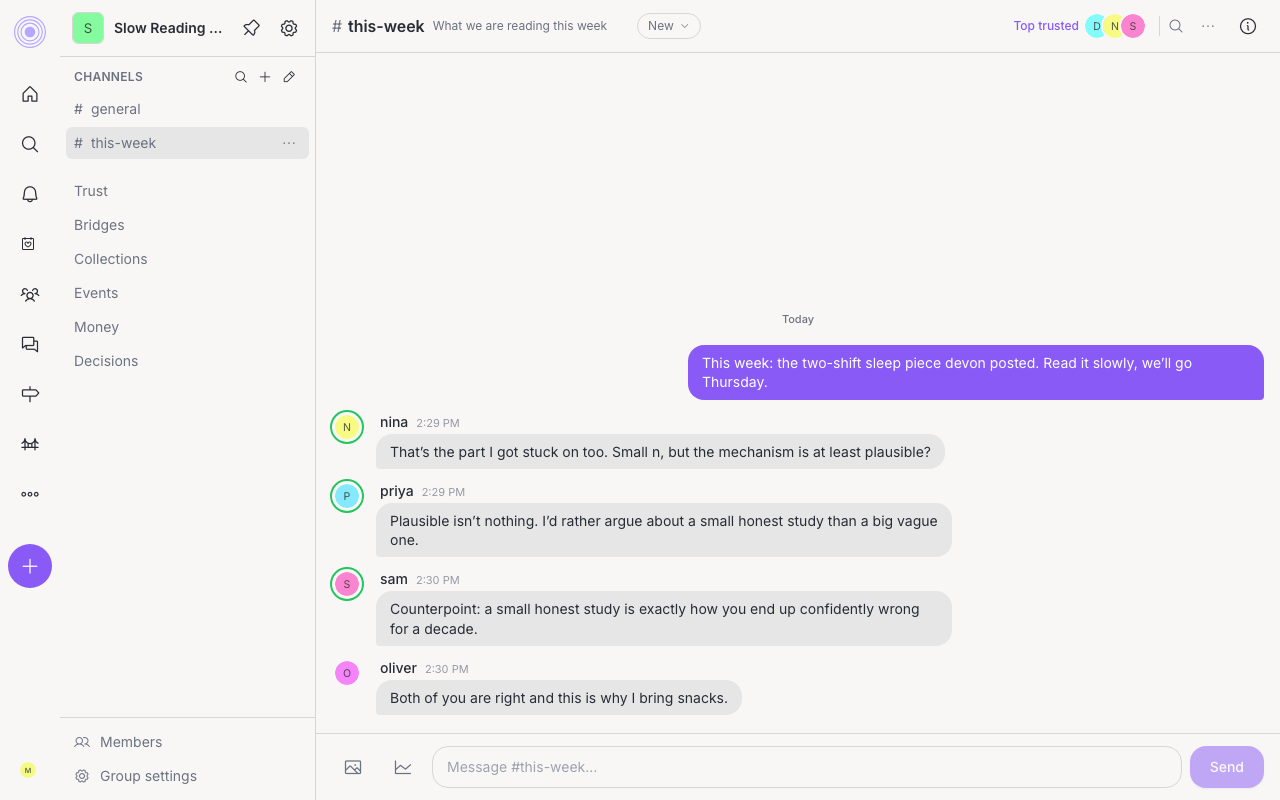
What you can do in a channel
- Send messages and reply in a thread to keep side talk tidy. Messages show Markdown formatting, and an @mention links to that person's profile.
- Edit or Delete your own messages. You can edit a message for a short time after you send it. Copy text works on anyone's message.
- React with an emoji, and mention someone with an @ to get their attention.
- Add a picture right in the message box.
- Ask @claude, if your admin has added it, and get an answer in the channel. See Ask @claude in a group.
- Add a poll to a message and let members vote inline. See polls.
- Pin a message so an important note stays easy to find.
- Save a message by bookmarking it to keep it handy.
- If you start typing and step away, your text is saved as a draft so you can finish later.
- Turn a really good channel message into a full post for the whole group when it deserves a wider audience.
To reach these, hover a message on a computer and use the ... menu. In a phone browser, press and hold a message to open its actions, or swipe right on it to reply quickly. In the app, press and hold a message to see Reply in thread, Edit message, Delete message, and Report message. The app has no swipe to reply.
Threads and the map
Reply to a message to open its thread in the same channel pane. The thread keeps the root message at the top, shows replies below it, and gives you one reply box at the bottom.
In a thread, use Map to see the reply tree. The map is read-only, and tapping a reply takes you back to the thread at that spot.
Trust on channel messages
If a channel message or thread reply has at least one topic, people can uptrust or downtrust it with the small chevrons beside the message. Those votes count as topic trust. Messages and replies without topics do not show those trust controls.
Private channels and your inbox
A channel can be open to the whole group, or private. A private channel is a smaller circle inside the group, and only the people added to it can see it. When you create a channel you pick which kind it is.
Find, leave, and archive channels
Next to the word Channels, click Browse channels (the magnifier) to see every channel in the group. Channels already in your list are tagged In sidebar. Admins also see Create channel (the plus).
Each channel row has a ... menu with these choices:
- Add to sidebar adds a channel you are not in to your list.
- Leave channel takes it out of your list.
- Archive channel and Unarchive channel are for group admins. Archiving takes the channel out of everyone's list, but its messages stay readable and searchable.
You cannot leave or archive the group's home channel. Archived channels sit under a folding Archived row at the bottom of the list.
Admins can click Reorder or archive channels (the pencil) to edit the whole list at once. Drag channels to change their order, or tick boxes (use All or None to speed it up) and click Archive channels. To bring archived channels back, tick them and click Restore channels. Click Done when you finish.
In the app, press and hold a channel in the group to Leave it, or, as an admin, to Archive or Unarchive it.
Unread channel messages do not flood your inbox. Instead they roll up into one quiet count of what is new in your channels, so you can catch up when it suits you.
Who can remove channel messages is set in Decisions. A moderator can remove a message or reply and share a reason with the author, but they cannot edit what someone else wrote.
What stays out of feeds